
What is CAD software?
CAD (Computer Aided Design), also referred to as 3D modeling, allows engineers and designers to build realistic computer models of parts and assemblies for complex simulations and digital manufacturing. Models created with CAD can be produced as physical components with 3D printing, CNC machining and injection molding.
CAD software can simulate a wide range of performance characteristics, including structural strength and thermal behavior before a physical prototype is produced. By enabling virtual testing and design validation early in the development process, CAD software helps to reduce costs, accelerate product development, and improve overall design quality.
The three pillars of 3D modeling
To understand the digital design landscape, it’s helpful to categorize software into three primary methodologies. These ‘pillars’ represent different ways of defining geometry, each suited to specific engineering or requirements.
What is solid modeling?
Solid modeling creates solid 3D models as if they are actual parts, with a logical workflow that’s similar to the processes which would be used to manufacture the part. Some of these operations include extruding, drilling and threading. Solid models can intersect, join and subtract objects from one another to create the desired part.
Another advantage of solid modeling is that it’s usually parametric, meaning that changes or parameters are saved at every stage of the modeling process and can be edited at any time. This allows features of the model to be quickly modified without needing to create the part from scratch.
Assembly modelling is an important stage in solid modelling that enables individual parts to be combined into a complete, complex model. Assemblies can incorporate standard components, such as fasteners and bearings, which can be downloaded directly from manufacturers. Motion elements can also be applied to assemblies, enabling detailed motion analysis to evaluate the design’s mechanical performance.

What is surface modeling?
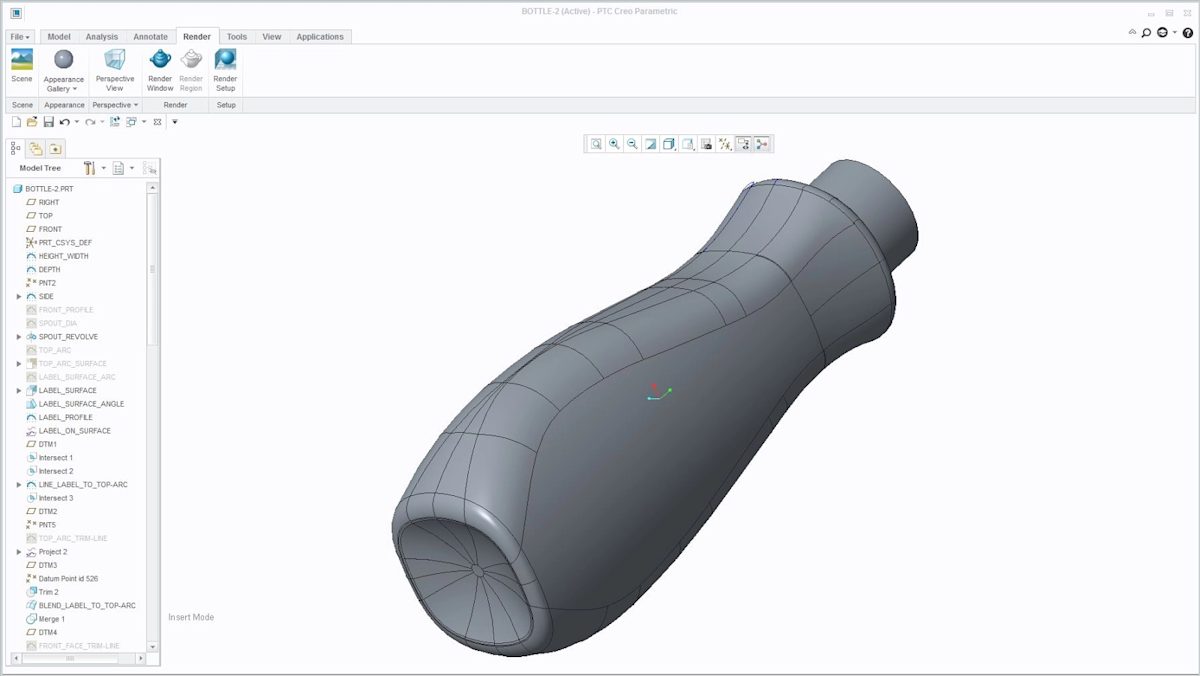
Surface modelling is typically used for the more aesthetic features of a product. This type of CAD software makes it far easier to create organic and free-form geometry. Many of the constraints found in solid modelling do not apply to surface modelling; however, this can sometimes come at the cost of reduced accuracy.
As the name suggests, surface modelling deals only with the external surfaces of a part and does not define a solid interior. However, once enough surfaces have been created to fully enclose the geometry, the model can be converted into a solid and used for manufacturing processes such as 3D printing. One challenge of surface modelling is that it can be more difficult to make design changes later in the process, as surface models are often non-parametric and therefore less adaptable than solid models.
Each type of modeling software has its benefits and drawbacks, depending on the type of design being produced this needs to be considered. Sometimes using both solid and surface modeling is needed to combine the benefits of each.
What is sculpting (organic modeling)?
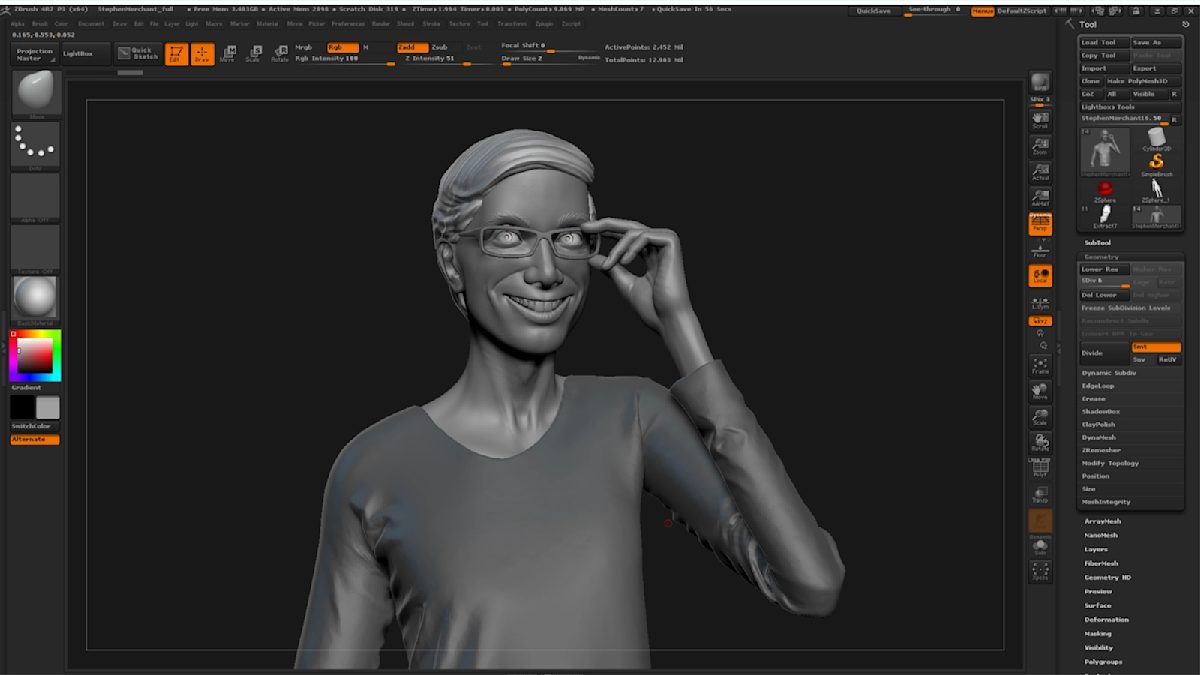
Sculpting, or organic modeling, is mainly used for creating freeform surfaces with intricate details such as characters, jewelry or organic shapes found in nature.
Sculpting software such as Pixologic ZBrush and Autodesk Mudbox are designed to replicate traditional sculpting in a digital environment. These tools allow digital sculptors to start with a simulated block or ball of clay, then use a pressure-sensitive tablet or display to shape the model with brushes that mimic traditional sculpting techniques, such as moving, adding, or removing material. Using these tools, artists can create sculptures that consist of tens of millions of polygons that capture even the most intricate details.
Selecting the best CAD software for your project
There are many CAD programs to choose from, each with its own advantages and industry niches. Let’s break down the most common CAD software options by their principal benefits and common file types.
| Software | Description | Common File Type |
|---|---|---|
 |
Solidworks is industry-standard engineering software used for part and assembly modeling. It includes simulation features as well as drawing and assembly tools. | .sldprt .sldasmslddrw |
 |
Autodesk AutoCAD, a software package for 2D and 3D CAD, is used across a wide range of industries, by architects, project managers, engineers, graphic designers and many other professionals. | .dwt .dwg |
 |
Inventor has very similar features to Solidworks, with professional 3D mechanical design, drawing tools and product simulation tools. | .ipt .iam .idw |
 |
Autodesk Fusion 360 is similar to Solidworks, with the addition of integrated manufacturing tools and sculpting tools. It’s also available for free for students, enthusiasts, hobbyists and startups. | .f3d |
 |
Sketchup is an entry-level software that’s easy to use but comes with basic features. It’s mainly used for applications such as architectural models and interior design. | .skp |
 |
Solid Edge provides solid modeling, assembly modeling and 2D orthographic view functionality for mechanical designers. Solid Edge is a direct competitor to SolidWorks, PTC Creo and Autodesk Inventor. | .prt .asm |
 |
PTC Creo is a suite of design software with a focus on product design for discrete manufacturers. The suite consists of apps, each delivering a distinct set of capabilities within product development. | .prt .asm |
 |
Onshape is a full online CAD software package. It makes extensive use of cloud computing, with compute-intensive processing and rendering performed via servers. | Cloud Only |
 |
Rhino is a multi-use, freeform surface modeler for engineering, architecture and jewelry design. | .3dm |
 |
ZBrush is a digital sculpting tool that combines 3D/2.5D modeling, texturing and painting. The main difference between ZBrush and more traditional modeling packages is that it’s more akin to sculpting. | .obj |
 |
Autodesk 3ds Max is a professional 3D computer graphics program for making 3D animations, models, games and images. | .3ds .max |
All of these CAD programs can output STL or OBJ files for 3D printing, as well as STEP and IGES for CNC manufacturing.
Get started
Ready to turn your CAD model into a manufactured part? Upload your design for a free, instant quote with process recommendations and DFM feedback.
Frequently asked questions
What’s the most common CAD software?
While there are many CAD programs available today, the most widely used is still AutoCAD. It’s one of the oldest and most popular software for 3D design and drafting.
What’s the best free CAD software?
If you don’t have access to the more costly enterprise software for CAD modeling, you can use free options like Fusion 360 and SketchUp Free.
What’s the best CAD software for 3D printing?
One of the most capable CAD platforms for 3D printing is Autodesk Fusion 360, making it a popular choice among designers, engineers, and product developers. Its integrated design, simulation, and manufacturing tools make it particularly well suited to developing efficient mechanical components and production-ready parts.
AutoCAD is another widely used option and remains an industry standard across engineering, architecture, and product design. It is particularly valued for its drafting and technical drawing capabilities.
Another powerful platform is nTop (formerly nTopology). Designed for advanced engineering applications, it enables users to create rule-based design workflows rather than modeling parts manually from scratch. This approach is especially useful for optimization, lattice structures, and complex geometries used in additive manufacturing.